> ## Documentation Index
> Fetch the complete documentation index at: https://docs.pyspur.dev/llms.txt
> Use this file to discover all available pages before exploring further.
# Deploying Spurs as APIs
> Turn your Spur workflows into production-ready APIs with one click
## One-Click Deployment
PySpur makes it incredibly easy to deploy your workflows as production-ready APIs with a single click.
Navigate to any workflow you've created and want to deploy.
Click the "Deploy" button in the top navigation bar to open the deployment modal.

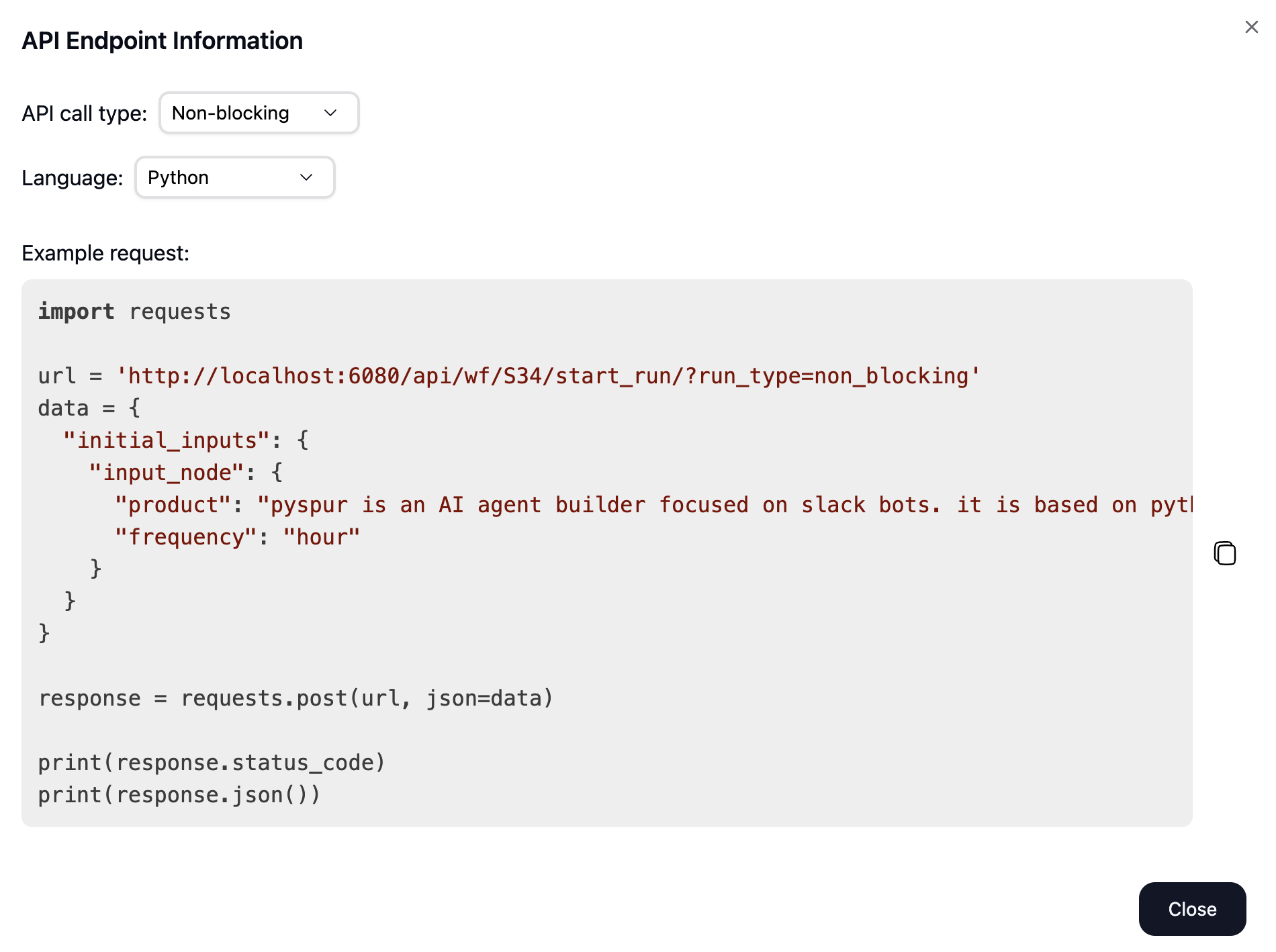
 In the modal that appears, you can configure:
* **API call type**: Choose between blocking (synchronous) or non-blocking (asynchronous) calls
* **Programming language**: Select your preferred language for the code example
For example, in Python:
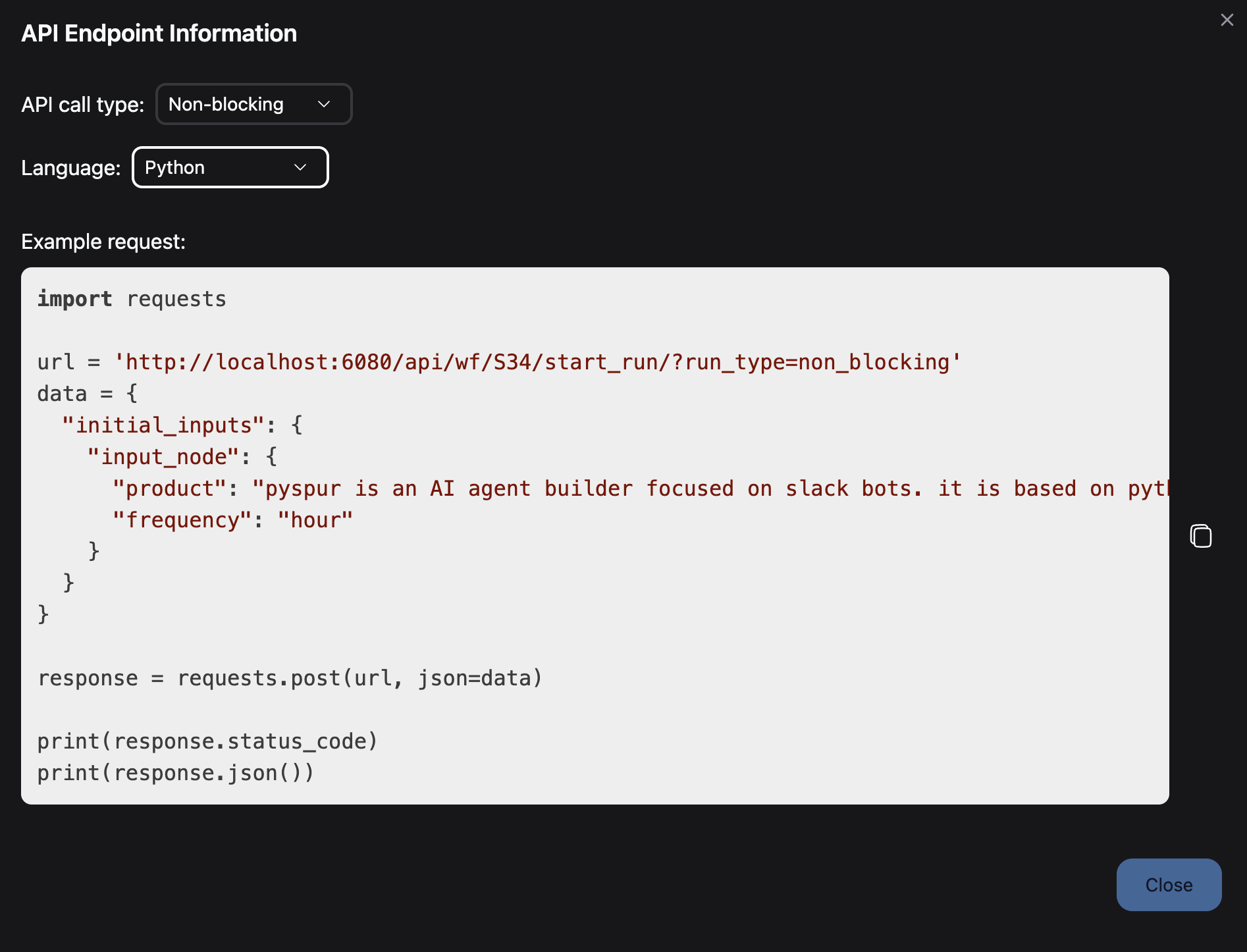
In the modal that appears, you can configure:
* **API call type**: Choose between blocking (synchronous) or non-blocking (asynchronous) calls
* **Programming language**: Select your preferred language for the code example
For example, in Python:
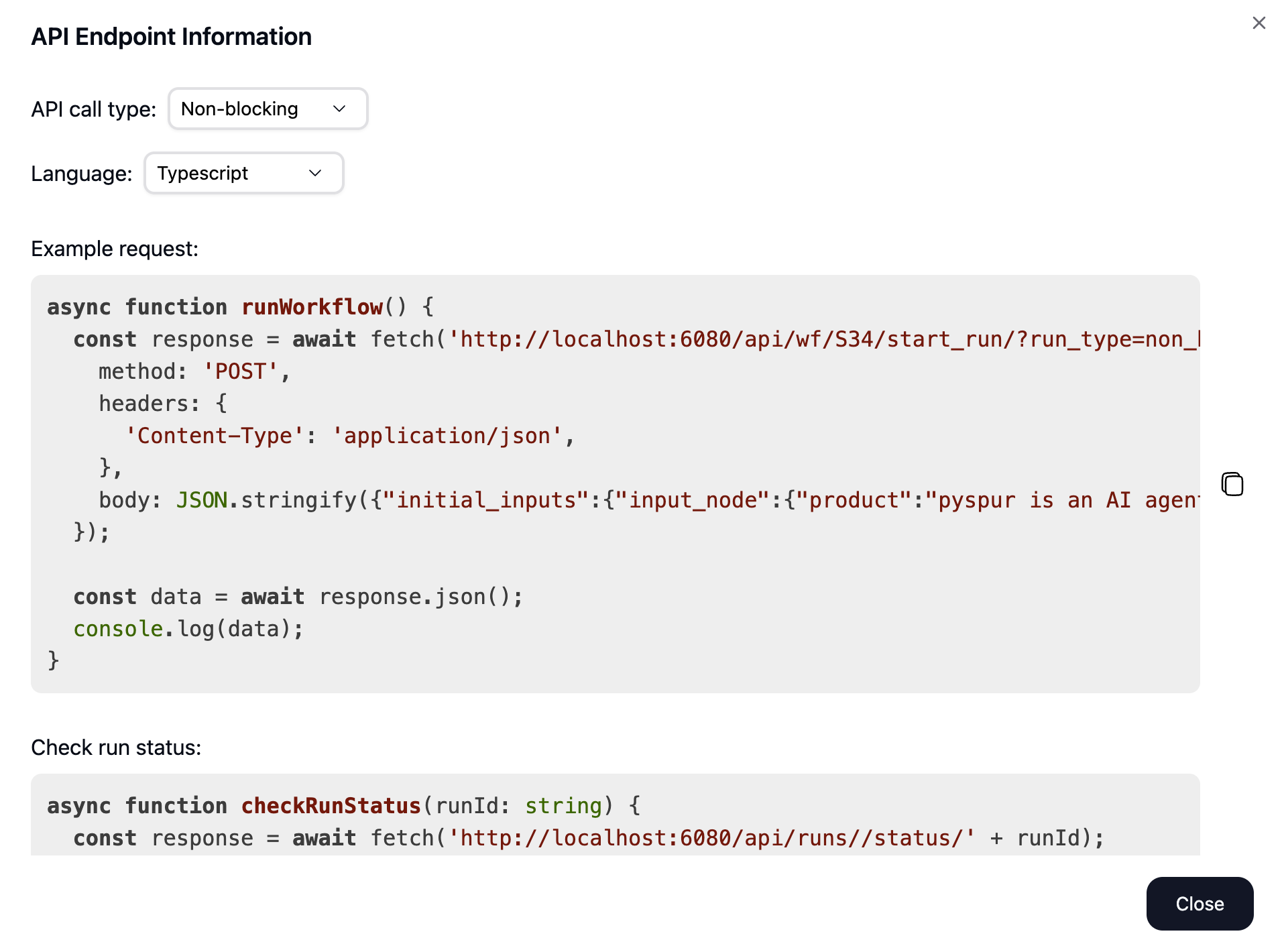
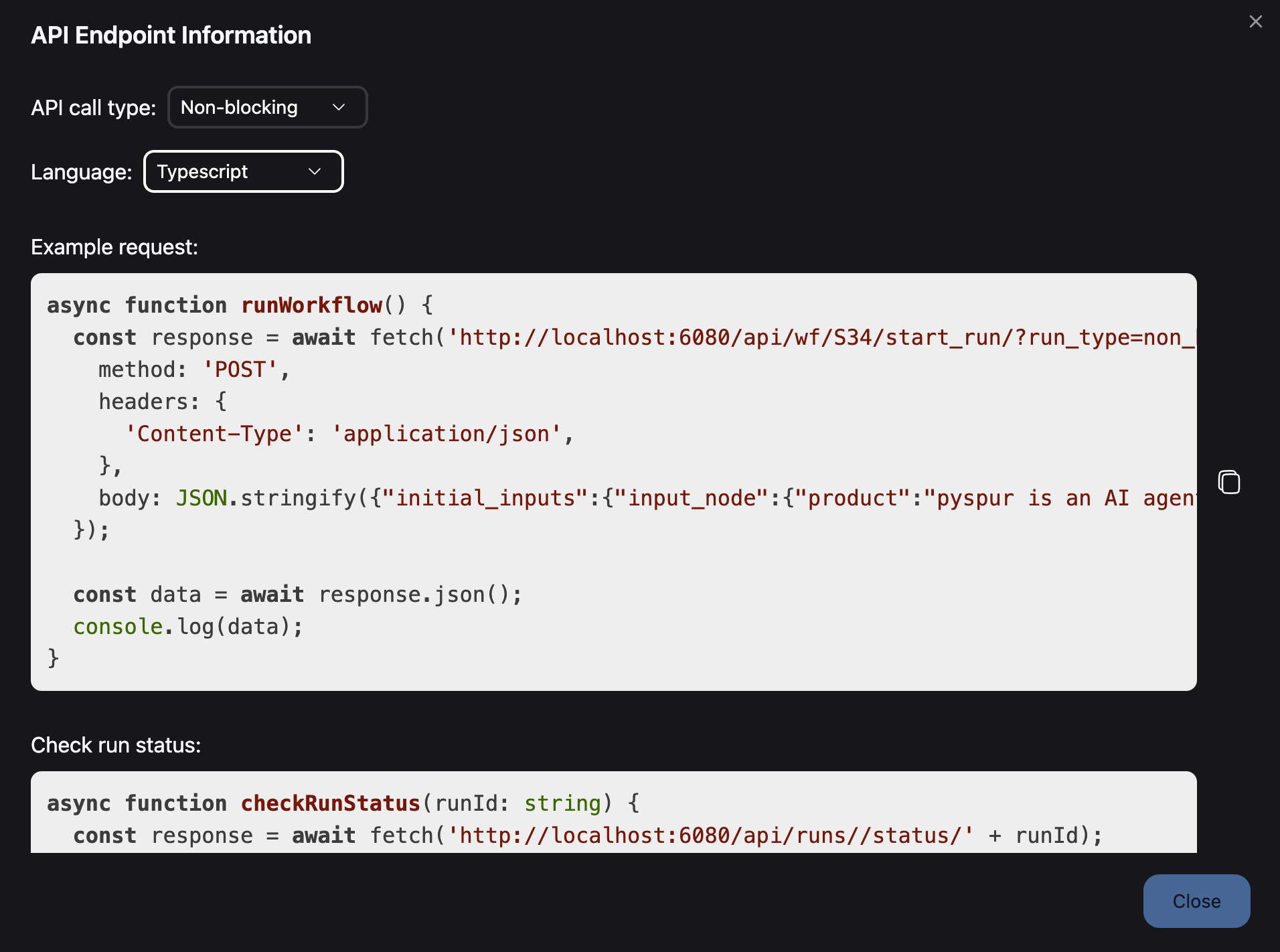
 Or in TypeScript:
 Copy the generated code example to integrate with your application.
## API Call Types
PySpur supports two types of API calls when deploying your workflows:
Use blocking calls when:
* You need immediate results
* The workflow completes quickly
* You want to process the response in the same request
The API will wait for the workflow to complete before returning a response.
```bash theme={null}
# Endpoint structure
POST /api/wf/{workflow_id}/run/?run_type=blocking
```
Use non-blocking calls when:
* Workflows may take longer to complete
* You want to decouple request and response
* You need better scalability for long-running tasks
The API will immediately return a run ID, and you can check the status later.
```bash theme={null}
# Start endpoint
POST /api/wf/{workflow_id}/start_run/?run_type=non_blocking
# Status check endpoint
GET /api/runs/{run_id}/status/
```
## Code Examples
The deployment modal provides ready-to-use code examples in various programming languages:
```python theme={null}
import requests
# For blocking calls
url = 'https://your-pyspur-instance.com/api/wf/{workflow_id}/run/?run_type=blocking'
data = {
"initial_inputs": {
"InputNode_1": {
"input_field_1": "example_value",
"input_field_2": 123
}
}
}
response = requests.post(url, json=data)
print(response.status_code)
print(response.json())
```
For non-blocking calls:
```python theme={null}
# Step 1: Start the workflow
url = 'https://your-pyspur-instance.com/api/wf/{workflow_id}/start_run/?run_type=non_blocking'
response = requests.post(url, json=data)
run_id = response.json()['id']
# Step 2: Check status later
status_url = f'https://your-pyspur-instance.com/api/runs/{run_id}/status/'
status_response = requests.get(status_url)
print(status_response.json())
```
```javascript theme={null}
// For blocking calls
fetch('https://your-pyspur-instance.com/api/wf/{workflow_id}/run/?run_type=blocking', {
method: 'POST',
headers: {
'Content-Type': 'application/json',
},
body: JSON.stringify({
initial_inputs: {
InputNode_1: {
input_field_1: "example_value",
input_field_2: 123
}
}
})
})
.then(response => response.json())
.then(data => console.log(data))
.catch(error => console.error('Error:', error));
```
```bash theme={null}
# For blocking calls
curl -X POST 'https://your-pyspur-instance.com/api/wf/{workflow_id}/run/?run_type=blocking' \
-H "Content-Type: application/json" \
-d '{
"initial_inputs": {
"InputNode_1": {
"input_field_1": "example_value",
"input_field_2": 123
}
}
}'
```
## Advanced Deployment Options
Run your workflow over a dataset with the batch processing API
```
POST /api/wf/{workflow_id}/start_batch_run/
```
Provide a dataset ID and mini-batch size to process large datasets efficiently.
Cancel in-progress workflows when needed
```
POST /api/cancel_workflow/{run_id}/
```
This is useful for stopping long-running or paused workflows.
PySpur provides full control over your deployed workflows with APIs for:
* Listing all runs of a workflow
* Retrieving run status
* Handling human-in-the-loop interventions
## Security Considerations
When deploying workflows as APIs, consider:
1. **API Authentication**: Add appropriate authentication to your PySpur instance
2. **Input Validation**: Ensure workflows validate inputs properly
3. **Error Handling**: Implement robust error handling in your client code
## Next Steps
Learn how to secure your deployed APIs
Track usage and performance of your deployed Spurs
Explore additional deployment configuration options
Copy the generated code example to integrate with your application.
## API Call Types
PySpur supports two types of API calls when deploying your workflows:
Use blocking calls when:
* You need immediate results
* The workflow completes quickly
* You want to process the response in the same request
The API will wait for the workflow to complete before returning a response.
```bash theme={null}
# Endpoint structure
POST /api/wf/{workflow_id}/run/?run_type=blocking
```
Use non-blocking calls when:
* Workflows may take longer to complete
* You want to decouple request and response
* You need better scalability for long-running tasks
The API will immediately return a run ID, and you can check the status later.
```bash theme={null}
# Start endpoint
POST /api/wf/{workflow_id}/start_run/?run_type=non_blocking
# Status check endpoint
GET /api/runs/{run_id}/status/
```
## Code Examples
The deployment modal provides ready-to-use code examples in various programming languages:
```python theme={null}
import requests
# For blocking calls
url = 'https://your-pyspur-instance.com/api/wf/{workflow_id}/run/?run_type=blocking'
data = {
"initial_inputs": {
"InputNode_1": {
"input_field_1": "example_value",
"input_field_2": 123
}
}
}
response = requests.post(url, json=data)
print(response.status_code)
print(response.json())
```
For non-blocking calls:
```python theme={null}
# Step 1: Start the workflow
url = 'https://your-pyspur-instance.com/api/wf/{workflow_id}/start_run/?run_type=non_blocking'
response = requests.post(url, json=data)
run_id = response.json()['id']
# Step 2: Check status later
status_url = f'https://your-pyspur-instance.com/api/runs/{run_id}/status/'
status_response = requests.get(status_url)
print(status_response.json())
```
```javascript theme={null}
// For blocking calls
fetch('https://your-pyspur-instance.com/api/wf/{workflow_id}/run/?run_type=blocking', {
method: 'POST',
headers: {
'Content-Type': 'application/json',
},
body: JSON.stringify({
initial_inputs: {
InputNode_1: {
input_field_1: "example_value",
input_field_2: 123
}
}
})
})
.then(response => response.json())
.then(data => console.log(data))
.catch(error => console.error('Error:', error));
```
```bash theme={null}
# For blocking calls
curl -X POST 'https://your-pyspur-instance.com/api/wf/{workflow_id}/run/?run_type=blocking' \
-H "Content-Type: application/json" \
-d '{
"initial_inputs": {
"InputNode_1": {
"input_field_1": "example_value",
"input_field_2": 123
}
}
}'
```
## Advanced Deployment Options
Run your workflow over a dataset with the batch processing API
```
POST /api/wf/{workflow_id}/start_batch_run/
```
Provide a dataset ID and mini-batch size to process large datasets efficiently.
Cancel in-progress workflows when needed
```
POST /api/cancel_workflow/{run_id}/
```
This is useful for stopping long-running or paused workflows.
PySpur provides full control over your deployed workflows with APIs for:
* Listing all runs of a workflow
* Retrieving run status
* Handling human-in-the-loop interventions
## Security Considerations
When deploying workflows as APIs, consider:
1. **API Authentication**: Add appropriate authentication to your PySpur instance
2. **Input Validation**: Ensure workflows validate inputs properly
3. **Error Handling**: Implement robust error handling in your client code
## Next Steps
Learn how to secure your deployed APIs
Track usage and performance of your deployed Spurs
Explore additional deployment configuration options